
Planning a party or special event in 2026 can be simpler than it seems, especially with the variety of online tools available. If you're looking for websites to create free online invitations, the good news is that there are many options that combine practicality and a great look. Let's take a look at some of the best alternatives for creating the perfect invitation without spending a penny.
Key Points
- FestaLab: Offers free templates to edit and share invitations, with features such as RSVP confirmation and gift registries.
- Convitin: Allows you to create interactive virtual invitations with customizable links, RSVPs, and gift lists, ideal for WhatsApp.
- Canva: A versatile platform with thousands of invitation templates, easy to use and with free customization options.
- Canva AI: Uses artificial intelligence to help generate invitation designs based on descriptions, streamlining the creative process.
- Alternatives to Canva: There are other websites that offer similar functionalities for creating online invitations, each with its own strengths.
1. FestaLab
If you're planning a party and want an easy way to create beautiful and functional invitations, FestaLab might be a good option. The platform offers a very straightforward way to create your invitation online, and best of all: it has free options.
The process is really simple, you know? You choose a template you like, fill it in with the important information about your event – like who the birthday person is, the date, time, and location – and that's it. Then you just send it to everyone via WhatsApp, email, or social media. One cool thing is that you can track who confirmed their attendance, which helps a lot with organization.
FestaLab stands out for offering a complete website for your event, where guests can not only RSVP, but also leave messages and even view your gift registry.
For those who want to go further, they also have paid invitation options, which cost a little more but offer more elaborate designs. The event website, where all this information and confirmations are located, is completely free, which is a huge plus.
It's important that the invitation includes essential information: the name of the person celebrating, the date, time, and address. A gift registry, while not mandatory, makes life much easier for those giving gifts and shows thoughtfulness towards the guests.
They've been in the market for quite some time, over 8 years, helping to capture important moments. Besides invitations, they offer other tools like gift registries and even birthday cards. If you're looking for practicality and a great look for your invitations, FestaLab is worth checking out.
2. Invitation
If you're looking for a quick and practical way to create digital invitations, Convitin might be a great option. This platform works as a virtual invitation creator, where you choose a template, personalize it with your information, and then generate a unique link to share. It's super useful for various types of events, from weddings and birthdays to children's parties and baby showers.
One of the great things about Convitin is that you can activate RSVP confirmation directly on the invitation. This helps organize who's coming and who isn't, avoiding the confusion of lost messages on WhatsApp. In addition, you can include a gift registry, with options for free Pix payments, payment links, or even links to products from other stores. Everything is centralized in one place, which makes it much easier for guests.
The available templates are quite varied, with options for all tastes. They range from classic and elegant designs to more fun and modern themes. You can add photos, change text, dates, and locations. And the best part: the invitation opens perfectly on any mobile phone, whether Android or iPhone, without needing to download any app. Just click the link and you're done.
Convitin stands out for offering a complete solution, integrating the virtual invitation with guest and gift management tools, all accessible through a single link. This simplifies the process for both those who create and those who receive the invitation.
For those who want something even more specific, they have themed designs, such as soccer invitations for fans of famous teams, or options with different colors and styles, like blue and white or floral. The idea is that you can create something that reflects your personality and your event without any hassle.
3. Canvas
Canva is a graphic design tool that has become super popular for creating all kinds of visual materials, and invitations are no exception. It's known for being very easy to use, even for those without design experience. You'll find a huge number of ready-made templates that cover practically any type of event you can imagine, from weddings and birthdays to children's parties and corporate events.
What's great about Canva is that it gives you a lot of freedom to customize. You can change colors, fonts, add your own photos, and even graphic elements that they offer. It's the kind of platform where you can really make the invitation your own.
For those looking for something quicker, they have templates that you can edit in just a few minutes. If you want something more elaborate, you can also tweak every detail.
Canva uses a drag-and-drop system, making the creation process very intuitive. You don't need to worry about learning complicated software; the interface is designed to be accessible to everyone.
One of the things that stands out the most is the variety of templates. They are organized by theme, which makes searching much easier.
- Templates for all events: Weddings, birthdays, baby showers, graduations, themed parties and much more.
- Full customization: Change colors, fonts, add images and graphic elements.
- Easy to use: Intuitive interface with drag-and-drop system.
- Online sharing: Generate a link to share the invitation digitally.
Although Canva offers many free features, they also have a paid plan, Canva Pro, which unlocks even more templates, photos, elements, and functionalities. But for most invitation needs, the free version is more than adequate.
4. Canva AI
Canva hasn't been left behind and has also invested heavily in artificial intelligence to boost invitation creation. If you already use Canva, you'll notice that the AI integrates very naturally with the tools you're already familiar with. Basically, the idea is that you describe what you want, and the AI helps you transform that into a ready-made design.
The key here is that you don't need to be a professional designer to create something that looks like it was made by one. Just give a text command, like "I want an invitation for a children's birthday party with a dinosaur theme, vibrant colors, and space for a photo," and the tool will give you some options.
It works more or less like this:
- AI-powered Design Generator: You write what you need in simple language, and the AI creates optimized layouts. Think of something like "elegant wedding invitation with flowers" and watch the magic happen.
- Autofill: Have you chosen a template? AI can fill it in with relevant content, saving you a lot of time.
- Icon and Image Creation: Need a specific design? AI can generate images and icons that match your theme.
Artificial intelligence in Canva aims to simplify the creative process by transforming descriptions into visuals. The idea is that anyone can create impactful designs without having to worry about the technical details of design.
Of course, you can (and should!) customize everything afterward. The AI gives you an amazing starting point, but the finishing touches, such as adjusting colors, fonts, and adding your event details (date, location, etc.), are still up to you. It's a way to speed up the process and still get a really cool result, without complications.
5. Canva Templates
Canva is a true paradise for anyone looking for ready-made invitation templates. Seriously, the sheer quantity is absurd, catering to all tastes and occasions. You can find everything from super elegant wedding invitations to fun ones for children's birthday parties.
The great thing is that they don't let you down. If you find a design you like, but want to change a thing or two, you can. Editing is very easy; you can change colors, fonts, add photos, and whatever else you need.
To give you an idea of what to expect, just look at the variety:
- Wedding Invitations: Classic, modern, rustic, minimalist.
- Birthdays: Themed party supplies for all ages, from babies to 15th birthday celebrations.
- Corporate Events: More formal, for launches, get-togethers.
- Tea Parties and Reveals: Baby shower, bridal shower, gender reveal party.
- Other Occasions: Graduations, baptisms, end-of-year parties.
The big advantage is that you don't have to start from scratch. Choosing a template already gives you a solid foundation and saves a lot of time. It's like having a designer giving you an initial push. They think about the composition, the colors, the typography, and you just adjust what's yours.
Canva's template library is updated frequently, so there's always something new appearing. This is great for those who want something trendy or for those who organize many different events throughout the year and need constant inspiration.
6. Canva Design
Canva is a super popular tool for creating almost any type of design, and invitations are no exception. It offers a huge variety of ready-made templates, which is great for those who don't have much design experience or simply want something quick and beautiful. You can choose a theme that matches your party, whether it's a children's birthday, a wedding, a graduation, or any other celebration.
The great thing about Canva is that it gives you a lot of freedom to tinker with things. It's not just about choosing a template and that's it. You can change the colors, the fonts, add your own photos, change the graphic elements, such as illustrations and stickers. It's like having a design studio on your computer, but without all the complications.
For those who want something more specific, Canva has options to adjust the invitation size, which is useful if you need a format different from the standard. And if you're thinking about maintaining a visual identity for your event, you can apply color schemes that match your brand or theme.
Canva's interface is designed to be easy to use. Even if you've never designed before, you'll likely be able to create a great invitation without much trouble. They focus on making the process as straightforward as possible.
The design process in Canva typically involves:
- Choose an invitation template.
- Customize with your information (date, time, location, etc.).
- Add or replace photos and graphic elements.
- Adjust colors and fonts to match the theme.
- Download the invitation in digital format (JPG, PNG, PDF) or ready to print.
It's a platform that really helps you put your ideas on paper (or on screen!) in a visually appealing way. They also have features that help ensure your design is legible and has good contrast, which is important so that everyone can read the invitation information without problems.
7. Canva Prompts
You know when you have a clear idea of what you want, but when it comes time to put it on paper (or on screen) everything freezes? That's what prompts in Canva are for. Think of them as the instructions you give to Canva's artificial intelligence to create something for you. It's like asking a friend to draw something: the more details you give, the closer it will be to what you imagined.
Using prompts is a way to guide AI to generate invitation designs that match your event. You don't need to be an expert in design or creative writing. Just describe what you have in mind. For example, instead of just saying "I want a birthday invitation," you can be more specific:
- Event type: Children's birthday party, wedding, graduation, baby shower.
- Style: Stylish, fun, modern, rustic, themed (e.g., superheroes, princesses).
- Colors: Desired color palette (e.g., pastel shades, vibrant colors, black and gold).
- Elements: Flowers, balloons, photos, specific illustrations.
- Essential information: Name of the birthday person/couple, date, time, location, RSVP information.
For example, a prompt like "Create a 5-year-old girl's birthday invitation, with a unicorn theme, in shades of pink and lilac, with space for a photo and details of the location and time" will generate something much more targeted than a generic request.
The magic of prompts lies in translating your vision into commands that AI understands. The clearer you are about what you want, the easier it will be for the tool to deliver a result that pleases you, saving time and effort in creating the perfect invitation.
8. Canva Features
Canva is a truly comprehensive tool when it comes to creating online invitations, and what stands out most are its features. To begin with, the platform offers a huge library of templates, ranging from the simplest to the most elaborate, covering practically any type of event you can imagine. And the best part is that you can customize everything, from colors and fonts to adding your own photos or graphic elements.
One thing I really like is how easy it is to use. Even if you have no design experience, you can create something great. They have a drag-and-drop system that's very intuitive. Plus, Canva has built-in image editing features, so you don't have to leave the site to adjust a photo you're going to use on the invitation.
Another strong point is the collaboration options. If you're organizing an event with friends or family, you can invite other people to edit the invitation with you in real time. This greatly facilitates the approval and suggestion process.
For those looking for something faster, Canva also has AI options that can help generate ideas or even initial layouts. You describe what you want, and the artificial intelligence gives you a starting point.
The variety of features available in Canva makes it a powerful option for those who want to create personalized invitations without complications. From choosing a template to making final adjustments, everything is designed to be accessible.
And we can't forget the export options. You can download your invitation in different formats, such as JPG or PNG, to print or share digitally. They also offer the option to create a shareable link, which is great for sending invitations via WhatsApp or social media. If you are looking for personalized invitation cards, Canva is a great place to start exploring.
9. Canvas Pricing
Canva, known for its versatility, operates with a pricing model that seeks to cater to different types of users, from those who need something quick and free to professionals looking for more advanced features. The good news is that creating online invitations, as well as many other designs, can be done at no cost.
For those who are just starting out or simply need a basic invitation, Canva's free plan is quite generous. It gives you access to a vast library of templates, graphic elements, photos, and fonts that can be used freely. It's possible to create beautifully designed invitations without spending any money.
However, if you're looking for extra features, such as access to millions of photos and premium elements, more sophisticated editing tools, or the ability to automatically resize designs to different formats, Canva Pro might be an option to consider. It also offers features like the Brand Kit, which allows you to save your brand colors and logos for quick use in all your designs, and a larger storage plan.
There are also plans for teams and businesses, which add collaboration and project management features. But for most users who just want to make an invitation to a party or personal event, Canva's free plan is more than enough.
Canva's pricing structure is designed to be scalable. You start with the free plan, which is robust, and only upgrade to paid plans if you feel the need for more specific features or a higher volume of professional work.
10. Canva Alternatives
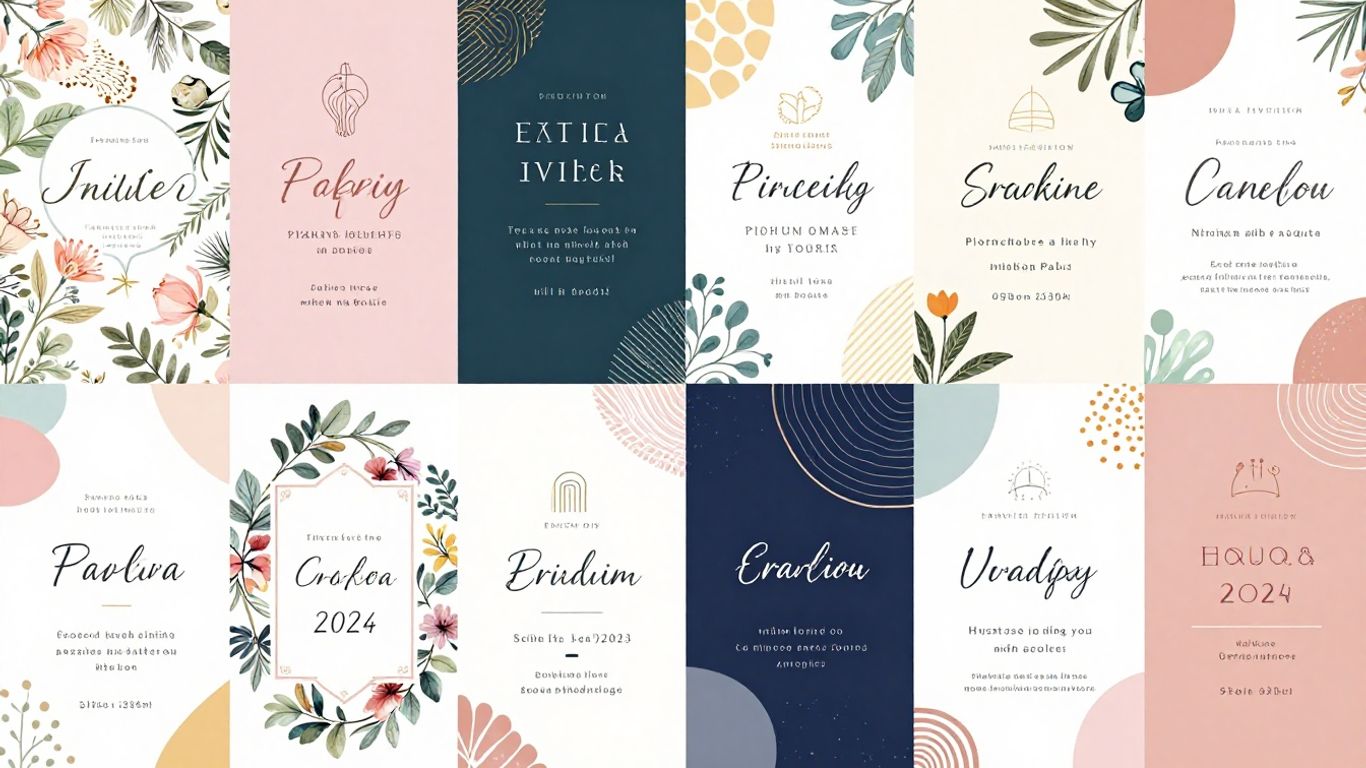
Not everyone adapts to Canva, even with its popularity for online invitations. If you prefer to try other platforms to create free invitations in 2026, there are excellent options on the market, each with its own unique features.
Check out popular alternatives to Canva for creating free online invitations:
- Venngage — besides being easy to use, it stands out for its AI-powered card generator and ready-made templates in various styles. For more diverse events, customization is a great advantage. It also offers automatic features such as color correction and optimized export for accessibility.
- Adobe Express — Adobe's tool is lightweight, straightforward, and offers modern templates. It's very practical for last-minute invitations, including easy adjustments for social media.
- VistaCreate gives you the freedom to customize details, add illustrations, and create animated invitations. For those who like different styles or want something beyond the standard, it's a perfect choice.
- FestaLab — a national leader, allows you to do everything online, from the design to the RSVP confirmation. And it's still possible Buy personalized invitations for any occasion. If you want something more exclusive.
| Tool | Free Templates | AI functionality | Focus on Events |
|---|---|---|---|
| Vengeance | Yes | Yes | Average |
| Adobe Express | Yes | No | Average |
| VistaCreate | Yes | No | Miscellaneous |
| FestaLab | Yes | No | High |
Exploring alternative options can be fun. Many of them have features that make your invitation even more original. Try them out and discover which one works best for your style and type of celebration.
Ultimately, exploring alternatives to Canva will help you find the most practical and creative website for your event.
To conclude
So, see how easy it is? With so many cool and free options, making an online invitation in 2026 is a breeze. Whether it's for a birthday, wedding, or any other celebration, you can create something really nice without spending a penny. We've seen that there are websites that help organize the gift registry and even confirm who's coming. So, no more complications, choose your favorite website and start creating the perfect invitation for your event. Your party can begin right now!
Frequently Asked Questions
What is the difference between an image invitation and a website invitation?
An image invitation is just a photo of the invitation, good for those who only want the information and to print it. A website invitation, or 'vibe', is more complete. It has cool features like RSVP confirmation, leaving messages, and even a gift registry. It's like a mini-website for your party!
How do I create a free online invitation?
It's really easy! You choose a template you like on the website, change the text, add photos, and you're done. Then just share the link with your friends and family. Many websites offer free templates to get you started.
Can I edit the invitation after sending it?
Yes, on most websites you can change the text, date, time, and other information even after you've sent the invitation. The link remains valid.
Do I need to download an app to see the invitation?
No need! Online invitations open directly in your mobile browser, whether it's an iPhone or Android. Just click on the link you receive via WhatsApp, for example.
How does RSVP confirmation work?
RSVP is a way to know who will be attending your party. On the invitation website, you can activate this feature. This way, guests confirm their attendance and you see everything organized in one place, without the confusion on WhatsApp.
Is it possible to add a gift registry?
Absolutely! Many websites allow you to create a gift registry along with the invitation. Guests can choose what to give, and you can receive payment via Pix (Brazilian instant payment system), a payment link, or even a product link.
What information is essential in an invitation?
The most important thing is to include the name of the person hosting the party, the date and time, and the address of the location. If you want, you can add a gift registry to help the guests.
What is a prompt for creating invitations with AI?
A prompt is like an instruction you give to artificial intelligence. You describe the type of invitation you want (elegant, fun, for a wedding, birthday), and the AI uses that to create a design and text for you.