
Want to know how to generate a QR code online without complications? If you've ever wondered how those little squares work or how to create one for your business, your search ends here. In this guide, we'll demystify the process of generating a QR code online, making it incredibly simple. We'll cover everything from the basics to tips for customizing your code, all designed for 2026.
Key Points
- Understanding what QR codes are and how they work is the first step to using them effectively.
- Choosing the right tool to generate your QR code online makes all the difference in terms of practicality and results.
- Creating a QR code is easy: simply choose the type of information, fill in the details, and, if you wish, add a personal touch.
- You can put almost anything in a QR code, from website links to Wi-Fi information or contact details.
- Testing your QR code after creating it ensures that it works correctly for everyone who tries to scan it.
Understanding the Technology Behind QR Codes
You know those little black and white squares we see everywhere? Those are QR codes, and it's not magic, it's pure technology. Basically, a QR code is a type of barcode, but instead of just reading one line, it stores information in two dimensions: horizontal and vertical. This means it can store much more data than a regular barcode.
What are QR codes?
QR stands for "Quick Response". And the name is no coincidence. These codes were created to be read very quickly by devices such as smartphones. They are like a visual shortcut to digital information. Think of them as a digital business card or a direct link to a website, but in image format.
How do QR codes work?
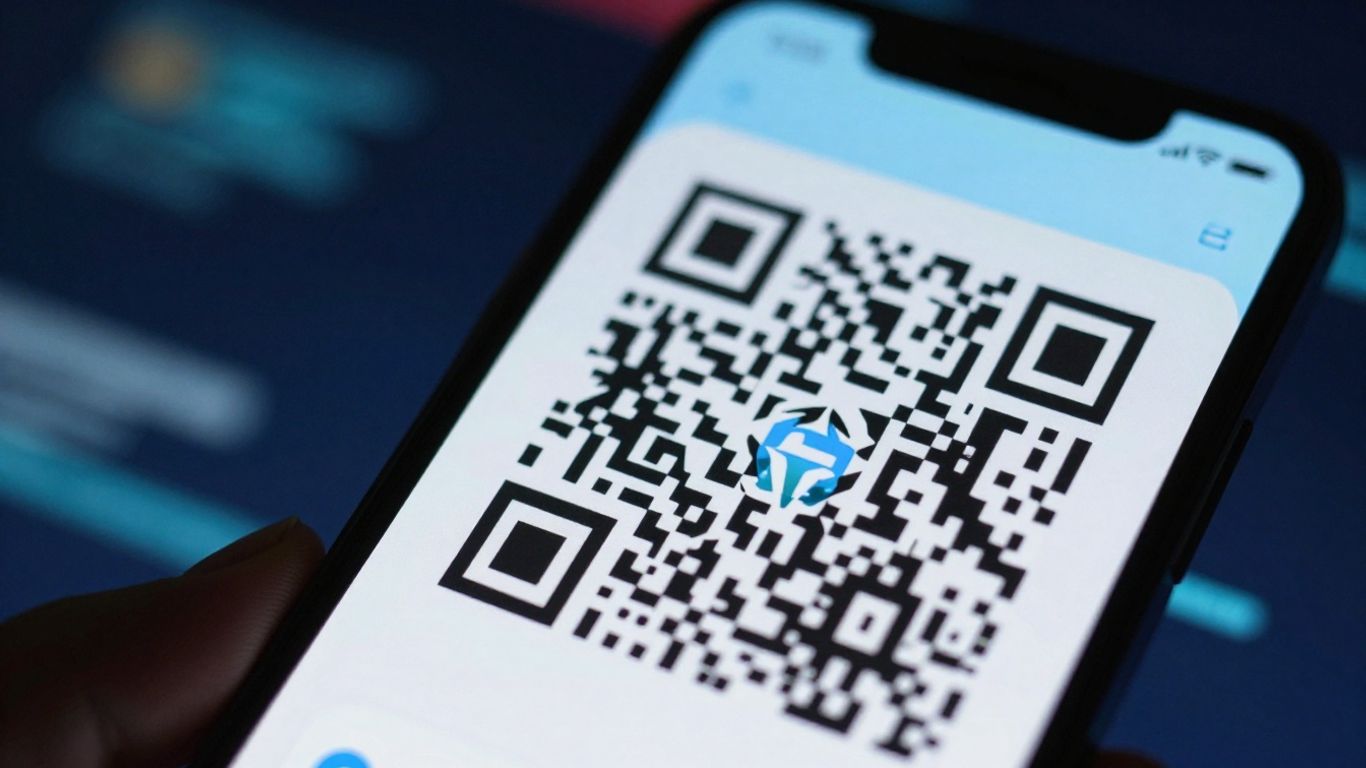
Inside, a QR code is a matrix of black dots (modules) on a white background. Each dot represents a piece of encoded information. When your phone's camera is pointed at the code, an app (usually pre-installed on your phone or downloaded separately) identifies the patterns and converts those dots back into readable data. It's a very intelligent process that allows you to access links, view text, save contacts, and much more, all with a simple scan. The code's structure has some key elements:
- Location Patterns: It is the larger squares in the corners that help the reader to know where the code begins and what its orientation is.
- Alignment Patterns: They help correct distortions if the code is slightly skewed.
- Data Area: Where the actual information is stored, in a binary format.
- Synchronization Pattern: A line of points connecting the location patterns, helping to define the data grid.
The storage capacity of a QR code varies depending on the amount of data it needs to store and the level of error correction that is configured. The more information, the more complex the visual pattern.
They are incredibly useful for connecting the physical and digital worlds. For example, you can see a QR code on a poster and, by scanning it, be taken directly to the event's website. Or, you can scan a code in a restaurant to see the digital menu, as is common nowadays. The technology behind this is very accessible, allowing anyone to create and use it. QR codes for various purposes.
Choosing the Ideal Tool to Generate Your QR Code
With so many options out there, choosing the right QR code generator can seem a little confusing. But don't worry, we'll help you find the best one for your needs. Think about what you need to do and what kind of information you'll put in the code. That will already give you a good starting point.
Criteria for Selecting an Online Generator
When choosing, keep an eye on some important points. It's not just about creating the code and that's it, there's more to it than that.
- Ease of Use: Is the website interface clear? Can you create the QR code without getting lost? If it's too complicated, it's best to look for another site.
- Customization Options: Do you want to put your logo in the code? Change the colors? Some generators offer more freedom to customize the code to your liking.
- Supported Content Types: Does the generator allow you to create QR codes for whatever you need? Links, contacts, Wi-Fi, emails? Check if it covers all your needs.
- Extra Features: Some more advanced generators offer scan tracking (for dynamic codes) or high-resolution download options.
- Cost: Many generators are free for basic functions, but for extra features or dynamic code, a subscription may be required.
Popular and Reliable Tools in 2026
The market is full of options, but some stand out for their quality and reliability. Here are a few worth checking out:
- QR Code Generator: One of the best known, it offers a good variety of content types and customization options. It usually has a free plan and paid options.
- Canva: If you already use Canva for design, you can create QR codes directly there. It's great for those who want to integrate the code into graphic material.
- Beaconstac: Primarily geared towards businesses, it offers robust features such as tracking and managing multiple codes, ideal for marketing campaigns.
- Flowcode: It stands out for its advanced customization and the ability to create code with very different designs, as well as offering analytics.
Choosing the right tool can make all the difference when creating a QR code that not only works well, but also represents your brand or information clearly and attractively. Think of it like choosing the right tool for a manual job: the wrong tool can give you much more work and the result won't be as good.
Remember that for most basic needs, such as sharing a website or social media link, a free and simple generator will suffice. But if you need something more professional or with tracking, it might be worth investing in a paid tool.
Step-by-Step Guide to Creating Your QR Code Online
Creating a QR code doesn't have to be complicated. In fact, it's a very straightforward process, even if you've never done it before. Let's detail how you can generate yours in just a few minutes, focusing on practicality and results.
Selecting the Content Type
The first step is to decide what you want the QR code to do. Think about the end goal. Do you want to direct people to your website? Share your contact information? Perhaps connect someone to your Wi-Fi network? Most online generators offer several options:
- URL: For website links, social media profiles, videos, etc.
- Text: To display a short message.
- vCard: To share contact information (name, phone number, email).
- Wi-Fi: To facilitate connection to a wireless network.
- E-mail: To start a new email with a predefined recipient and subject.
Choosing the right type is important because it defines what information you will need to enter next. There's no point in wanting to share your contact information if you selected the URL option, right?
Inserting the Necessary Information
After choosing the content type, it's time to fill in the fields. Each type has its own particularities. If you chose URL, for example, you will need to paste the complete website address. If it's a vCard, you will have fields for name, company, phone number, email, address, etc. This is where the... precision account. A typo in the link or phone number may cause the QR code to not function as expected.
Pay close attention to the details. A broken link or incorrect contact information can frustrate those trying to use your QR code and give the impression of carelessness. Check everything before proceeding.
Customizing the Design of Your Code
This is the fun part! Many generators allow you to customize the appearance of your QR code. You can change the colors, add your company logo in the center, or even choose a different format for the dots. But be careful: excessive customization can impair readability.
- Colors: Use colors with good contrast. A light background with dark accents works best. Avoid combinations that blend together too much.
- Logo: If you add a logo, make sure it doesn't cover too large a portion of the code. Most generators adjust this automatically, but it's worth checking.
- Format: Changing the point format or adding a frame can make the code more attractive, but always test to ensure it's still scannable.
Remember, the main goal is for the code to be easily readable. Aesthetics are important, but functionality comes first. After everything is set up, the generator will give you the option to download your QR code file, usually in formats like PNG or SVG.
Types of Content That Can Be Encoded
You know, the cool thing about QR codes is that they're not just for sending people to any old website. You can put a whole bunch of different things in them, depending on what you need. It's like having a small portal for useful information, all in one place.
Website and Social Media Links
This is the most common one, right? You can direct people to your website, a specific product page, your Instagram profile, or anywhere else on the internet. It's a super fast way to connect the physical world with the digital world. Consider placing a QR code on a product's packaging that links directly to a video on how to use it, or on a poster that sends users to your online store. It's a direct link to more information or to a purchase.
Contact Information (vCard)
Have you ever imagined exchanging contact information without having to type anything? With a vCard QR code, you can. By scanning it, the person has the option to save your name, phone number, email, address, and even website, all directly to their phone's contact list. This is great for networking events or business cards. It looks professional and saves a lot of time.
Wi-Fi Connection Details
This is a lifesaver, especially for establishments like cafes, restaurants, or offices. Instead of having to type in the Wi-Fi password (which is sometimes huge and complicated), all you need is a QR code. The person scans it, confirms, and that's it, they're connected. It makes everyone's life easier and avoids that confusion of "what's the password again?".
Text Messages and Emails
You can pre-configure a text message or email. For example, a QR code in an advertisement can open the messaging app with pre-typed text, such as "I want to know more about product X." Or it can open the email client with a ready-made subject and body text. It's a way to start communication in a very direct and frictionless manner. This integration of experiences is increasingly present, such as the possibility of initiating a... WhatsApp conversation directly from a QR code.
The versatility of QR codes allows them to adapt to various needs, from marketing to convenience. The key is to think about what the end user needs and how the code can facilitate access to that information or action.
Personalization and Styling of Your QR Code
Your QR code doesn't have to be that boring black and white square we see everywhere. In fact, adding a personal touch can make all the difference, especially if you're using it for marketing purposes or to represent your brand. Think of it as dressing your code up with your brand's visual identity colors.
Adding Colors and Logos
One of the easiest ways to customize is to play with colors. Instead of black and white, you can use your brand colors. Just be careful to maintain good contrast between the background and the code dots. If the contrast is poor, the code may not be read correctly, and then it's no use having a beautiful code that doesn't work. Another cool thing is to add your logo to the center of the QR code. Many online generators offer this option, and it greatly helps to reinforce your brand identity. It's a way to... Turn your logo into a QR code. with a unique dot pattern.
Changing Formats and Frames
In addition to colors and logos, some generators allow you to change the shape of the code's dots or add a frame. This can make the visual even more interesting. You can opt for more rounded dots or even different shapes, depending on what the generator offers. Frames can also be useful for giving context to the QR code, such as a "Scan me" button.
Design Considerations for Improved Readability
Remember that, ultimately, the main function of a QR code is to be scanned. So, however stylish you want it to be, readability must come first. Here are some tips:
- Contrast is King: Always ensure there is a strong contrast between the dark and light elements of the code.
- Size Matters: Don't create a QR code that's too small. Think about where it will be used and whether people will be able to scan it easily.
- Avoid Information Overload: The more data you encode, the more complex the code becomes, with more dots. This can make it harder to read.
- Test, Test, Test: Before printing or distributing, always scan the code with different devices and applications to ensure it is working perfectly.
Personalization is a powerful tool to make your QR code more attractive and memorable. However, it's vital to balance aesthetics with functionality. A visually stunning code that can't be read is useless. Always prioritize clarity and scannability, using personalization as a complement, not a substitute for basic functionality.
Testing the Functionality of Your Generated QR Code
After all the work you put into creating and customizing your QR code, the last thing you want is for it not to work, right? It's like baking an amazing cake and forgetting to add the baking powder. That's why testing is super important. Don't skip this step!
Importance of Testing Before Publication
Think of the QR code as a portal. If the portal is broken, no one will be able to get where you want them to go. A quick test ensures that the link is correct, that the information appears as expected, and that the user experience won't be frustrating. This applies to everything: a link to your website, an emergency contact, or even the Wi-Fi at your party.
How to Scan and Verify Content
Testing is easier than it seems. Most smartphones nowadays already have a QR code reader built into the camera. Just open the camera app and point it at the code. If everything is correct, a notification will appear, showing the content or asking if you want to open the link.
- Use different devices: Test it on an iPhone and an Android device, if possible. Sometimes there are slight differences.
- Check the content: Click the link or view the information that appeared. Is everything correct? Is the text complete? Did the website load?
- Test the distance: Check if the code works properly when scanned from a reasonable distance, not just when pasted onto your phone.
If you're using an online generator, many of them offer a preview or a direct test on the platform. For example, some tools allow you to scan the generated code right there to see if it's working. This testing tool This is a good example of how to do it in a simple way.
Remember that the print or image quality of your QR code also affects scanning. A blurry or low-resolution code may not work, even if the encoded information is correct.
Where to Use Your Created QR Codes
Marketing and Advertising Materials
QR codes have become incredibly useful tools for anyone working in marketing. Think of posters, flyers, magazine ads, or even billboards. Instead of typing a long address, the person only needs to point their phone and... voilà, It's on your website, product page, or social media profile. This greatly reduces the customer's effort and increases the chances of them interacting with your brand. It's a direct bridge between the physical and digital worlds, you know? It makes everyone's life so much easier.
Product Packaging
Adding a QR code to product packaging is an idea that's gaining traction. Imagine this: the customer buys your product and, on the packaging, there's a code that leads to a video on how to use it, extra tips, or even to register a warranty claim. This adds value to the consumer experience and can be a direct channel for feedback or to showcase your other products. It's a smart way to keep the customer engaged even after the purchase.
Events and Presentations
At events, fairs, or presentations, QR codes are a lifesaver. Instead of handing out a bunch of paper with information, you can have a code that leads to the event agenda, a map of the venue, a list of speakers, or even to download supplementary material. For presentations, a code can direct to your full presentation, a contact form, or your social media. It's practical and modern.
Using QR codes at events can reduce paper waste and speed up access to information for participants. Think of it as a more efficient digital version of old-fashioned brochures.
Differences Between Static and Dynamic QR Codes
When you decide to create a QR code, one of the first things you need to understand is that there are two main types: static and dynamic. The choice between them can significantly change how you use and manage your code.
Advantages of Dynamic Codes
Dynamic codes are, let's say, a bit smarter. Their key advantage is that you can change the information the QR code carries. after It's already been created and even printed. Think about it: you printed a bunch of flyers with a QR code that leads to an old promotion. With a dynamic code, you don't need to print everything again. Just go to the generator's panel and change the link to the new promotion. That saves time and money, you know?
Furthermore, dynamic codes usually come with tracking features. You can see how many times your code has been scanned, where people scanned it from, and even on what day. This information is invaluable for anyone using QR codes in marketing, as it helps to understand what is working and what is not.
- Flexibility: Change the link destination at any time.
- Tracking: Monitor the performance of your code.
- Centralized Management: Control multiple codes in one place.
When to Opt for a Static QR Code
On the other hand, static codes are simpler. Once you create a static code with information (such as a website link, text, or contact information), that information is permanently stored in it. You can't change it later. If you need to change something, you'll have to generate a new code.
They are great for information that doesn't change, such as your main website link, contact information that is rarely updated, or fixed text. The advantage is that they don't depend on an online service to function after they are created, and many generators offer the creation of static codes for free and without requiring registration.
Static codes are the right choice for permanent data. They operate independently, without the need for an active account or service after generation, making them a reliable solution for information that will not change in the future. Simplicity is key here.
In short, if you need flexibility and tracking data, go for dynamic. If the information is fixed and you want something straightforward and uncomplicated, static is the way to go.
Best Practices for Creating Effective QR Codes
Creating a QR code that actually works and is useful is more than just pressing a button. We want people to scan it, right? So, there are a few things that really help ensure that happens. Think of it like giving clear instructions to someone to find a treasure.
Keep the Code Simple and Clear
You know when you try to read something with a lot of information crammed together? It gets confusing. It's similar with QR codes. The more data you include, the more complex it becomes, with more black and white squares. This can make it difficult to read, especially on older phones or in poor lighting conditions. Try to use as little information as possible for your purpose. If it's a link, use a URL shortener if it makes sense. Less is more, really.
Ensuring Good Contrast
This is basic, but many people forget it. The contrast between the dark squares and the light background is what the phone uses to understand the code. If you put a light gray QR code on a white background, or worse, a colored code on a similar background, the chance of it not working is enormous. Think of black on white, or dark blue on white. Vibrant colors might work, but always test. It's like trying to read a book with white letters on white pages; it doesn't work.
Strategic Positioning for Scanning
Where you place the QR code makes all the difference. If it's too small, too far away, or on a surface that reflects too much light, no one will be able to scan it. Think about placing the code in a place where people can approach it without rushing, and where the lighting is reasonable. Avoid corners of pages or places where it could be crumpled or torn. For printed materials, such as flyers and posters, Consider the size and distance the person will be from the device when attempting to scan. A good location is a flat, easily visible area.
Readability is key. A beautiful QR code that doesn't work is useless. Prioritize functionality above all else, and then think about aesthetics. Testing is the most important part of this whole process.
Security and Privacy When Generating QR Codes
Creating a QR code is super easy these days, but we need to be careful about security and privacy, right? It's not just about generating one and distributing it everywhere.
Risks Associated with Malicious QR Codes
You know those QR codes that take you to websites that look legitimate but actually steal your information? Well, they exist. They call them... QRishing, This is a variation of phishing. Someone might print a sticker with a malicious QR code and place it over an original QR code in a public place, like a restaurant or a bus stop. When you scan it, instead of seeing the menu or bus schedule, you might end up on a fake page asking for your bank details or login information. It's a real risk, and we need to be aware of it.
Tips for Creating Secure QR Codes
To avoid headaches, follow these tips:
- Use reliable generators: Choose well-known and reputable websites. Avoid unknown platforms that may have questionable practices with your data.
- Prefer dynamic codes for sensitive information: If you need to redirect to a link that changes or contains important data, dynamic code allows you to change the destination without having to generate new code. This is useful for quickly correcting errors or disabling dangerous links.
- Always test before sharing: Scan your own QR code with different apps and devices to make sure it leads to the right place and that there's nothing suspicious.
- Be transparent with the user: If the QR code leads to an external website, it's a good idea to indicate this. For example, next to the code, you could add text such as "Scan to see our online menu" or "Visit our official website".
The security of your data and the trust of those who scan your code are just as important as the information you want to share. A well-designed and secure QR code demonstrates professionalism and care.
Remember that the technology behind QR codes is simple, but how we use it can have implications. For more details on how they work and how to use them safely, check out [link to QR code]. How QR codes work. Staying informed is the first step to protecting yourself.
Conclusion: QR Codes in the Palm of Your Hand
And there you have it! Generating a QR code online is easier than it seems, right? With these quick tips, you can create yours in 2026 without any hassle. Whether it's to share a link, a contact, or even a digital menu, practicality is key. There's no mystery to it, and the result is super useful in everyday life. So, next time you need one, just follow the step-by-step instructions we've shown you. Simple as that!
Frequently Asked Questions
What exactly is a QR code?
Think of a QR code as a modern barcode, but one that holds much more information. It looks like a square filled with small black and white squares. When you point your phone's camera at it, the phone understands the hidden message, which could be a link, text, or something else.
How do I create a free QR code?
There are several websites on the internet that let you create QR codes for free. You just need to choose what you want the code to do (like opening a website), type in the information, and the site generates the code for you to download and use.
Can I put my logo on the QR code?
Yes, many generators allow you to place your logo right in the middle of the QR code. This makes the code look like yours and helps people recognize your brand. Just be careful not to make the logo so large that the code stops working!
What is the difference between a regular QR code and a dynamic QR code?
A standard (static) QR code stores the information directly within it. If you want to change what it does, you need to create a new one. A dynamic QR code, on the other hand, is smarter: it points to a link that you control, so you can change the destination without having to generate a new code. It's great for campaigns that may change.
What happens if the QR code gets crumpled or dirty?
QR codes are designed to be durable! They have a margin of error, so even if a part is slightly damaged, the phone can still read the information. But it's always best to keep it as clean and intact as possible to ensure it works properly.
Can I use QR codes to connect to Wi-Fi?
Absolutely! You can create a QR code that, when scanned, connects your phone or tablet to any Wi-Fi network you want, without needing to type in a password. It's super convenient for receiving visitors or in public places.
Is it safe to scan any QR code?
Most of the time, yes. But it's good to be a little careful. QR codes can be used to redirect you to fake websites or download viruses. If the code is in an unusual place or looks suspicious, it's best not to scan it.
Where can I use a QR code?
Everywhere! You can put it on posters, flyers, business cards, product packaging, invitations, or even on your computer screen. It serves to direct people wherever you want on the internet or to provide quick information.